Do you like making lists? I like making lists.
Having an obsessive-compulsive personality, I’m prone to making lists. From “Things to do”, to “Things I need to buy”, to “Things I want”, my list of lists goes on. I even have a “Topics to write about” list for my blog and if you care to add a topic, please let me know!
Anyway, I’ve been obsessing about getting a good grocery app list. At first, I searched the term “checklist” since I wanted an app that simply makes a list and I can slash out an item with a tap of a finger. I found the app “Checklists“. I liked how it looked because the interface is similar to the “Notes” app of Mac. However, adding items were such a hassle because there were too many click-throughs just to add an item.
 There’s something nostalgic about the yellow paper background. Makes you feel like you’re using pen and paper.
 To add a list, you need to type the name, categorize it and set some other settings. Too many things to do.
 Same with adding an item. Too many things to set.
Plus, Checklist wasn’t free and I could only make 2 lists with 10 items with the trial version. The full version (Checklists Full) costs $2.99
I then decided to just use “list” as my search term since I basically am just looking for a simple list app.
I got a couple of results, a lot of them are paid apps but I finally found a free one called ShopShop. And it’s exactly what I was looking for.
 Yellow paper background: check! Striking out feature with a tap of your finger: check!

Adding items is very straight forward: Type, click Done, type, click Done.
 And there’s an email feature, too.
What I like:
1. Easy to use. Simple interface.
What I don’t like:
1. No summary page. So if you want to see an old shopping list, you have to flick thru all the shopping lists in the app until you see the one you need. Bothersome if you’re a digital pack rat and you have a gazillion lists stored.
I’m also using this other FREE app called “Do It (Tomorrow)“. It’s a very simple list app.
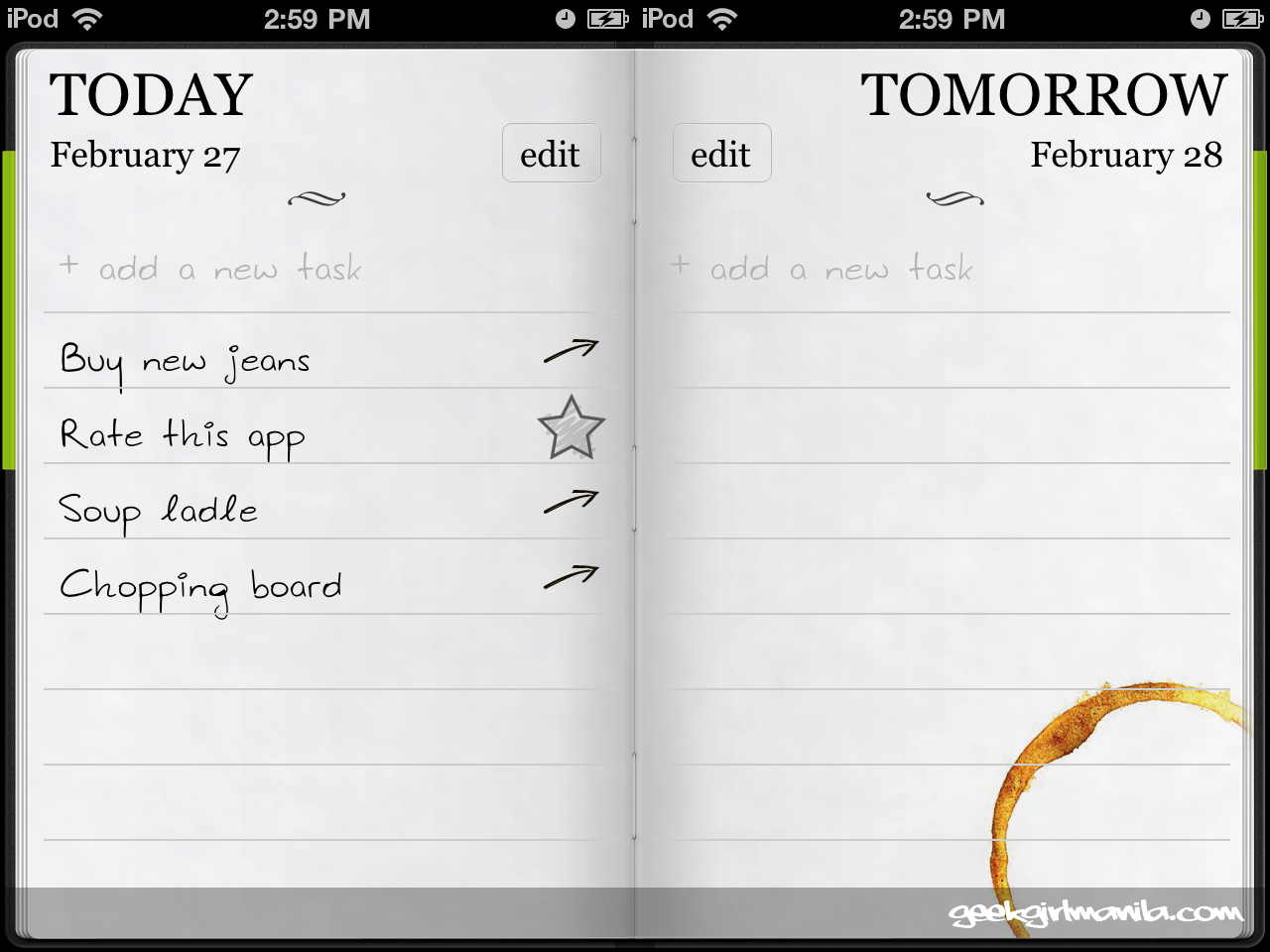
There’s only 2 screens, the date Today and the date Tomorrow.
How it works: You add items, if you get it done, you cross it out. If you don’t get it done, you can manually move the item to the next day, or it gets automatically moved if you don’t cross it out within the day. Un-checked items will always get moved to Tomorrow until you tick the off the list. I use “Do It (Tomorrow)” when there’s something on top of my head that I need to take down and remember, and I have no specific deadline for it.
Links: ShopShop / Checklists / Checklists Full / Do It (Tomorrow)


Leave a comment