Here’s a pretty awesome app I found out from Jayvee when I saw him at the SMART Netphone launch at the Jump Experience Center.
My Data Manager is a simple Android app that basically tells you how heavy or light of a data user you are. It shows you how much data you consume on an average and which apps you most frequently use that consumes your data, for both Wi-Fi and Mobile Data Plan.
 Shows you how much data each app is consuming.
 For those who like graphs, hehe.
 Quick look!
This is a really great app and a MUST-have, I have to say! It gives you a great perspective whether your plan is insufficient or if you’re paying too much. It gives you an idea of which data plan is more appropriate for you.
And the best thing is, it helps you keep track of your data usage! No more wondering why you keep getting high phone bills.
As of now (September 1 to September 5), I’ve consumed 21MBs via Wi-Fi and my data activities are mostly WhatsApping and downloading apps.
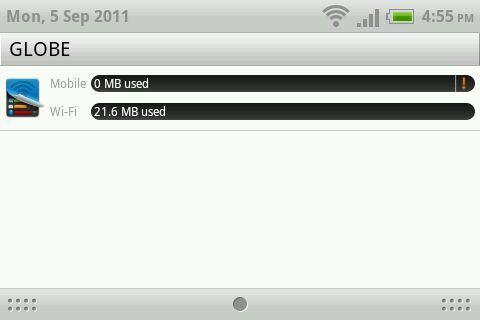 Quick look on the HTC Chacha. Haven’t used mobile yet since I haven’t gone out of the house 🙂

By the end of the month, I’ll be able to figure out which data plan to get (if I do decide to get a data plan, or just use data as I go)!
My Data Manager has a free version with ads, and a paid no ad version.
Download: My Data Manager for Android


Leave a comment