Being online while on-the-go is really important for me, not just because of my job or because I’m a “blogger”. It’s simply because I am addicted to love the internet and social media.
Tweeting, posting on Facebook, or sharing Instagram photos whenever and wherever are just a few of my ‘simple joys’ in life.
And because of that, I’ve been thinking of investing on a 3G WiFi modem for quite some time now.
Even if my phone has a Personal Hotspot feature, keeping the Personal Hotspot on all the time drains my battery really quick. (Sad to say, the HTC Chacha battery life is really crappy, but I love my phone anyway.)
When Artie got his iPhone and HTC Sensation, I thought leeching on his unlimited data connection via Personal Hotspot would satisfy my online hunger, but I ended up draining HIS batteries instead, hehe.
It was also quite annoying to keep on borrowing his phones and asking if I could use his 3G. (It came to the point that I didn’t have to ask. I just had to give him ‘the look’ and he’d just hand me his phones.)
So when I received a Rocket WiFi from SMART, I was on a #RocketHigh!
The geek gods has answered my prayers! *happy dance*
Now enough of my blabbing and on to the review!
UNBOXING
 Front of the box.
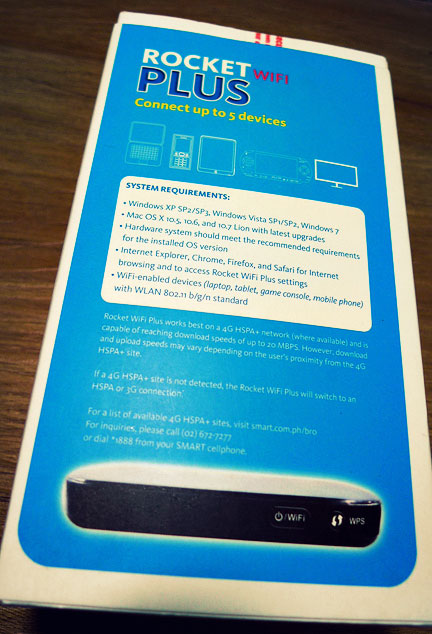 Back of the box.
 The Rocket WiFi comes with the usual manuals and a SMART Bro Sim.
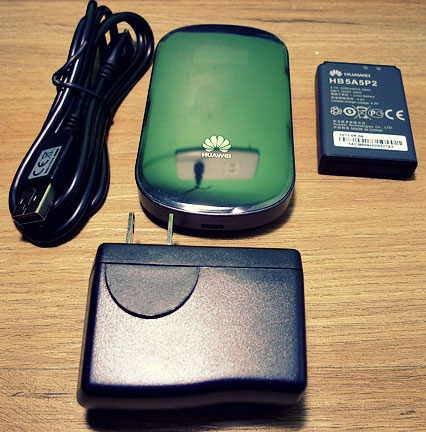 The Rocket WiFi package is inclusive of the Hauwei modem, a USB charger adaptor and cable, and battery.
 Front and back view of the Huawei modem.
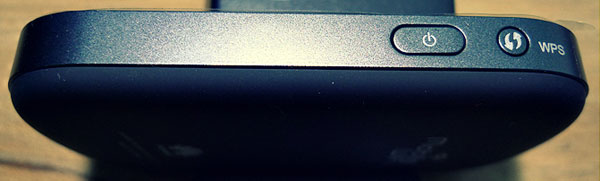 Side view!
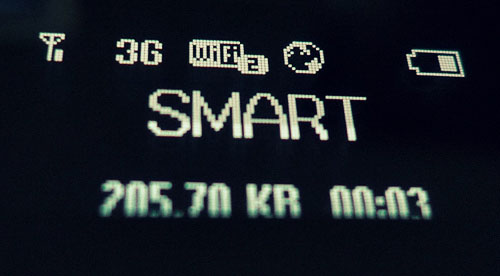 Power up! Digital display on the Huawei modem.
SPEED TESTS
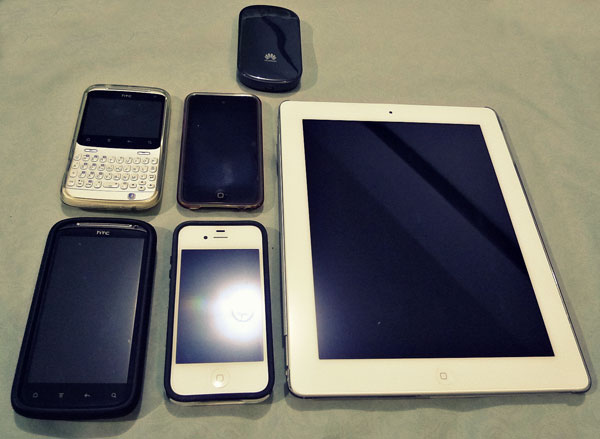
I tested out the Rocket WiFi using the following gadgets: my HTC Chacha, my 4th gen iPod Touch, the hubby’s HTC Sensation, iPhone 4S, iPad 2 and my 2011 iMac. Interestingly, I had far better results on an Android gadget.
The iMac had the worst speedtest result as the SMART signal in our condo is really weak. Even our SMART mobile phones barely have signal in our room.
 Mwaha, I had to put the Rocket WiFi by the window to get a signal!
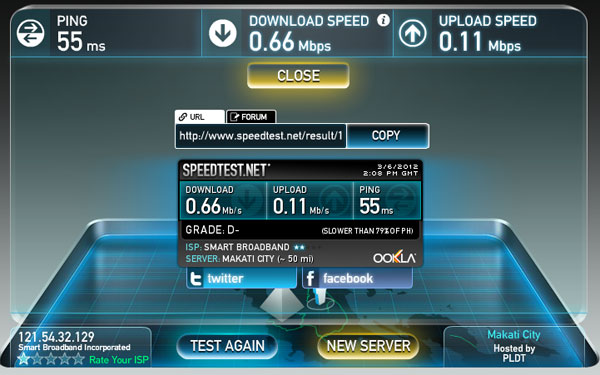 Speedtest result on my iMac, Las Pinas Area.
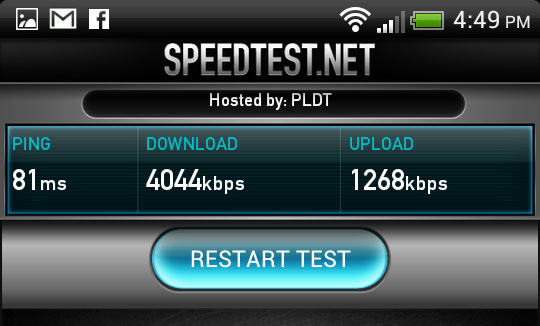 Speedtest result on the hubby’s HTC Sensation, Katipunan Area. That’s 4MB/s
 Speedtest result using my HTC Chacha, Alabang Town Center area.
 The best result so far, using my HTC Chacha, BF Resort, Las Pinas area.
RANDOM THOUGHTS
- The SMART Rocket WiFi modem has good battery life, with around 3-4 hours of continuous usage.
- The SMART Rocket WiFi modem is lightweight and very handy.
GEEK GIRL VERDICT
So, did the Rocket WiFi deliver? Uhm, not really but sort of.
The speed of 6MB/s is pretty far from the promised up to 20MB/s speed. (I still have yet to try it out in other areas, like Makati for example, or even outside of Manila. Like what I said in my review of the SMART Rocket Plug-It, location is the key!)
BUT, with 6MB/s, that’s waaaaaay better than the others broadband sticks I’ve tried, and even WAAAAAAY better than the 3G connection on my mobile phone. (Though comparing it to a 3G stick may not really be a fair comparison.)
Also, with the Rocket WiFi, I don’t need to plug it in any laptop or netbook. All I have to do is turn it on, and viola, INTERNET!
So should you get one? If you have P6,450 to spare (one-time payment for the unit), then yes, go for it! 🙂 If you’re an internet junkie like me, this is a good gadget to add to your tech arsenal.
ROCKET WIFI PACKAGES
Rocket WiFi is a prepaid mobile broadband service that runs on 4G HSPA+ signal. For the complete list of SMART HSPA+ sites (1500 and counting!), you can click here.
There are a two (2) ways on how you can load up your Rocket WiFi: 1) with e-load using your SMART mobile phone or buying from an e-load center; or 2) buying a SMART Bro Prepaid card and loading it up on the SMART Website or SMART mobile phone.
(You will need to register your Rocket WiFi at the SMART Website)
Here are the available Data Packages for the Rocket WiFi:
- Smart Bro Prepaid Lifestyle Packages – Get the most out of your load with Prepaid Lifestyle packages.
- Prepaid Lifestyle 450 – 35 hours of internet time for Php 450. Valid for 25 days
- Prepaid Lifestyle 350 – 25 hours of internet time for Php 350. Valid for 18 days
- Prepaid Lifestyle 250 – 15 hours of internet time for Php 250. Valid for 12 days
- Smart Bro Per Minute Packages – Maximize your load by switching to minute-by-minute charging.
- P150 Smart Bro Per Minute Package – 7.5 hours (equivalent to 450 minutes) valid for 7 days
- P100 Smart Bro Per Minute Package – 5 hours (equivalent to 300 minutes) valid for 4 days
- P60 Smart Bro Per Minute Package – 3 hours (equivalent to 180 minutes) valid for 2 days
- Smart Bro UnliSurf Packages – Surf all you can by availing of Unlimited Internet browsing packages.
- P100 Smart Bro Unli Surf Package with unlimited internet browsing valid for 2 days
- P200 Smart Bro Unli Surf Package with unlimited internet browsing valid for 5 days
- P50 Smart Bro Unli Surf Package with unlimited internet browsing valid for 1 day
- *To continue enjoying these services, please maintain P1 load balance at all times.
- Smart Bro Volume Data Packages
- ALWAYS ON 995 (with 2000 MB)
- ALWAYS ON 750 (with 1000 MB)
- ALWAYS ON 500 (with 500 MB)
- ALWAYS ON 300 (with 250 MB)
- ALWAYS ON 200 (with 180 MB)
- ALWAYS ON 30 (with 50 MB)
- ALWAYS ON 20 (with 25 MB)
- ALWAYS ON 10 (with 5 MB)
They have a lot of package options to satisfy either a time-based or volume-based user.
Want to get your own SMART Rocket WiFi? Buy from the SMART Online Store for only P6,450!


Leave a comment