Tech Review: Canon PIXMA Ink Efficient E400 Printer

Hello, hello, geeks. How are you all doing?

Me? Well, nothing. I’ve been holed up in our quaint little condo these past few weeks, drowning myself in anime and World of Warcraft, and cleaning after our cute adorkable cats, Parker and George.

I guess you could say this is my way of “making tipid”. 

With the Christmas season so near, I’d rather stay in than go out and spend money on night-outs and on dinners.

Can you believe that there’s only 9 weeks left until Christmas?! OMG. Time really flies so fast nowadays, whether you’re having fun or not.

Have you saved up enough money for your Christmas shopping? This year, I am proud to say I have!

At the start of this year, I decided to do the 52 Week Money Challenge. Basically, every week, you set aside an amount of money and each week it increases in amount. At the end of the year or after 52 weeks, you’re expected to have saved a whopping amount of almost P70,000!

As of week 43, I have saved an amount of P47,300.00. This will really help in keeping my credit card debt zero as I’m very notorious with mass charging my purchases when December comes. Then I end up paying for the ridiculous amount I have charged the whole year next year. It’s a vicious, never-ending cycle, I tell you!

At least with the money I save with the 52 Week Money Challenge, I get to pay in cash and not use my credit card, and stay debt-free! Hello, financial freedom! ❤

Anyway, moving along, since we’re on the topic of tipid tips, let’s get on with my review of the Canon PIXMA Ink Efficient E400, a printer that can definitely help you save on your printing expenses.

Canon PIXMA Ink Efficient E400 Printer

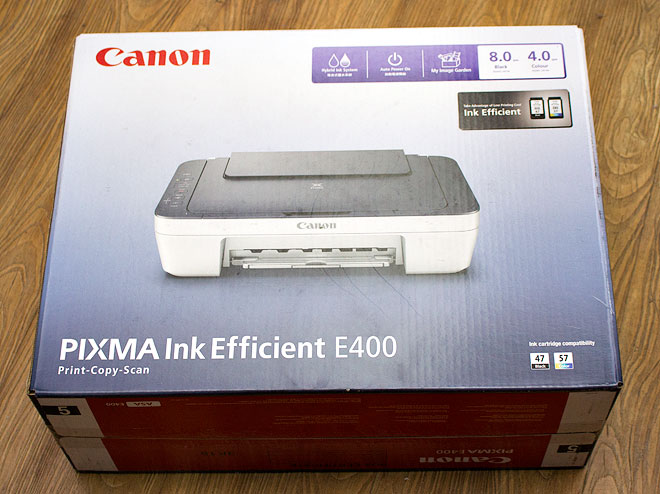
The Canon PIXMA Ink Efficient E400 is an economical, multi-purpose printer that can satisfy your basic “print, copy, scan” needs.
Canon-PIXMA-E400_01

The Un-Boxing

Canon-PIXMA-E400_02
Remember to always buy original Canon ink! The PIXMA Ink Efficient E400 black and color ink cartridges are super affordable at P325 (SRP) and P780 (SRP) respectively.
Canon-PIXMA-E400_03
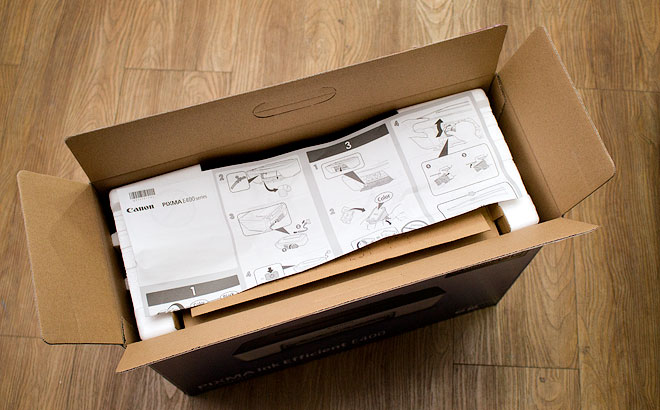
The first thing that greets you when you open the box is the installation manual…
Canon-PIXMA-E400_04
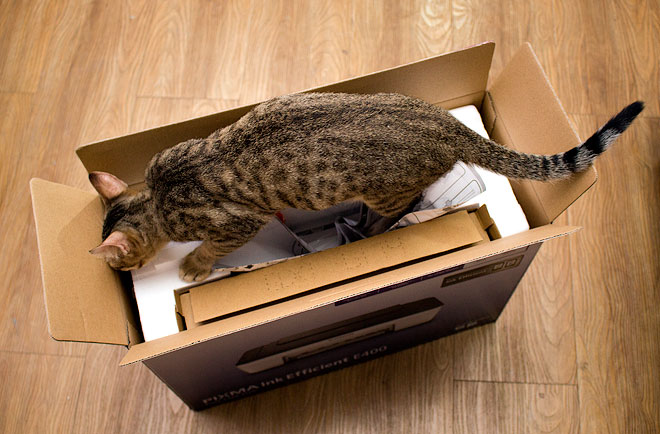
… and a cat. Just kidding, I couldn’t resist posting a cat photo. My cat approves of this printer! ❤ Moving along…
Canon-PIXMA-E400_05
The printer comes with the USB cable, the electric cable, 1 x Black Ink and 1 x Color Ink.
Canon-PIXMA-E400_06
Also comes with your basic user guide and cd installer which will only work for Windows. If you’re an OS X user like me, you can download the Mac version of the printer driver here.
Canon-PIXMA-E400_08
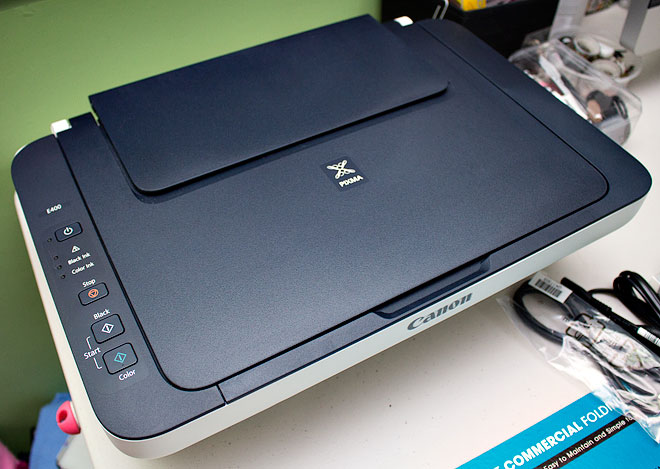
The PIXMA Ink Efficient E400 Printer has a very simple, easy to use interface.
Canon-PIXMA-E400_09
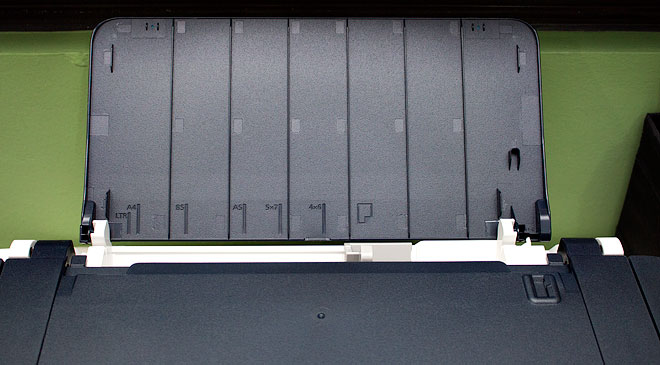
The PIXMA Ink Efficient E400 Printer can accommodate paper sizes from 4×6 to Letter size paper (8.5×11)
Canon-PIXMA-E400_12
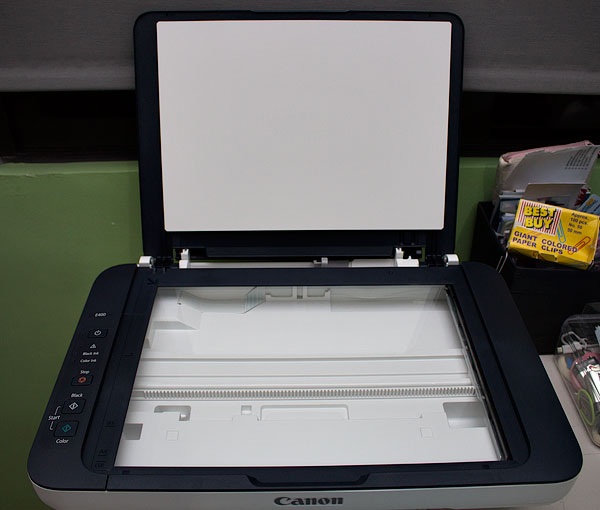
Open the top lid and you have access to the scanner.
Canon-PIXMA-E400_10
Insert ink cartridges here.
Canon-PIXMA-E400_11
The inks are fairly easy to install.
Canon-PIXMA-E400_15
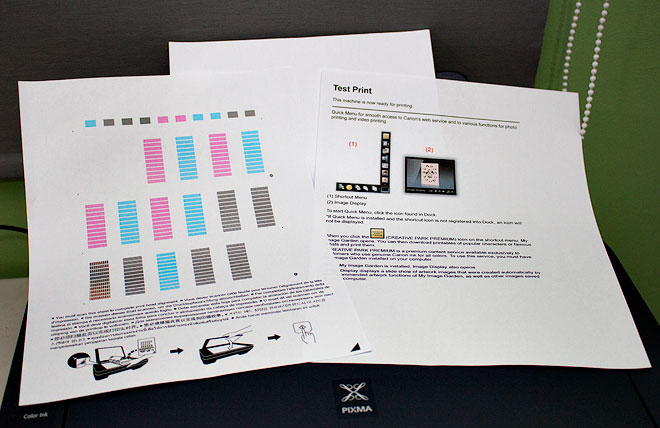
After setting up the printer, I decided to do a test print.
Canon-PIXMA-E400_16
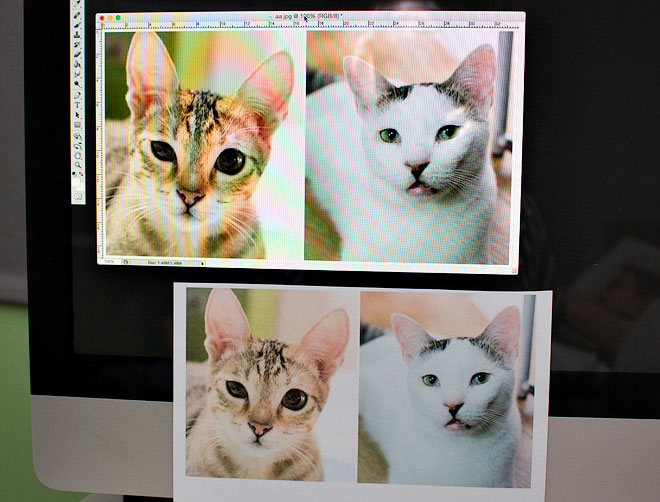
Another sample test print. I only printed these images on plain paper but they came out very nicely. Printing them on photo paper would definitely be better.

Canon PIXMA Ink Efficient E400 In Action

Here’s a super quick video of me printing with the Canon PIXMA Ink Efficient E400.

The Good, The Not-So Good, and The Bottomline

The Good.

  • Very compact and lightweight.
  • Affordable, both printer and ink cartridges.
  • Fast printing and quick scanning.
  • Fine, quality printing.
  • Easy setup.

The Not-So Good.

  • Because it is made of very lightweight material, the printer may feel somewhat fragile.
  • No Wi-Fi support.

The Bottomline.

The Canon PIXMA Ink Efficient E400 is the best choice if you’re looking to buy a printer that combines both quality printing and affordability.

The black ink cartridge can print up to 400 pages while the color ink cartridge can print up to 300 pages. With the black ink cartridge costing only P325 and the color ink cartridge costing only P780, your money will definitely go a long way.

You should definitely buy this printer if you are…

… parents with children who print a lot of documents for school.

… a college student who needs to lug around a printer to school for their thesis, or projects.

… a business owner who needs a no-frills printer that can print efficiently.

… a typical tech user who just likes to print a lot of things, like documents, photos, labels and craft stuff.

Remember, with the Canon PIXMA Ink Efficient E400 you can do so much more than just print documents.

Watch the video below and learn how to make your own customized party essentials with the PIXMA printer.

(This is a really great #PIXMAtipid tip!)

For only P3,695.00, the Canon PIXMA Ink Efficient E400 is one of the more affordable all-in-one printers out now in the market.

So if you’re looking to buy a printer, do check out the PIXMA Ink Efficient E400. It’s definitely on my recommendations list. /thumbsup

The Canon PIXMA E400 is available at Lazada Philippines.

Loving my new work space! <3
Loving my new work space! ❤

XOXO,

XOXO

♥ Follow Canon Philippines on Facebook and Twitter to learn more about their products and on-going promos

10 responses to “Tech Review: Canon PIXMA Ink Efficient E400 Printer”

  1. Hey!!

    I hope you doing well.

    Need a lil help… Could you please tell me from where on earth did you get this table?

  2. Lia Espina Lopez Avatar
    Lia Espina Lopez

    Hi Miick, that table is readily available at all S&R branches 🙂 It’s around 3-4k if I remember correctly 🙂

  3. There is a catch to this printer, one that I found out only recently.

    Try printing on an A4 Glossy Photo Paper – you will find that it is impossible to do so using the high quality settings. You can only print on the expensive glossy paper as if it were only Plain Paper.

    This is a Canon design. You cannot print A4-sized lovely enlargements. You are forced to print only pathetic 4 inch by 6 inch photos. I think this is being crippled on purpose. Older budget Canon printers do not have this limitation. So if you have dreams of printing glossy enlargements you have to buy a more expensive printer (from Canon?) which uses the same printhead and ink, but without the crippling.

    I feel cheated!

  4. Thanks for the review. Been looking for affordable yet efficient 3-in-1 printer for my writing needs.

    PS: Your kets are soooo adorable!!!

  5. my x perience on buying printer:

    – never buy the cheapest printer without checking the ink cartridge price and how many pages the cartridge can print
    – if buy hp, makesure but the inkadvantage model
    – after like 1 year, my cheap hp1050 printer but expensive ink has degrade in pic quality, but letters are fine
    – lastyear i bought this canon e400 printer. the cartridge cost is 1/3 of the price of HP1050 cartridge ink. awesome!
    – actually there are many models ( hp inkvadvantage, epson, canon e500 ) that cartridge ink cost much much lower than canon e400 and can print thousands of pages, but printer cost is almost double, and heavier.
    – Pros: value
    – now the Cons: loud sound when print,
    – now, this just in: after 13 mths, an ”absorber full” popup appear, the printer stop working, warranty expired, canon hotline said the sponge holding excessive ink is full and need change. need to send to pc shop to repair and replace those absorber. it will take a month and 70% cost of the printer. which the service guy advise me to buy a new printer! which i did! i bought this e400 model again, because weeks before i have bought 2 cartridge inks before i found out about this ”absorber full”, which i have never experience with previous 3 hp printers in past 8 years!!

  6. Hi Mindmenglish, thanks for your review! I’m curious, how much do you use your printer?

  7. Yeah. That can’t print glossy a4. Why?

  8. Hi i bought my canon pixma e400 this last october 5, may thesis kami and i used it to print out our documents. I’ve found out na hindi maprint out yung bottom part kung saan it always leave 1 inch space in every documents na ipinrint ko. Bali ang problem is palaging cut off yung footer nung text . And also the header, it always printout the text after 1inch .This is the page set up we’ve used Margins: Top:.5″ Bottom:1″ Left: 1.25″ Right:1″ Header: .31″ Footer:.13″

  9. agreed.. cannot print A4 glossy paper. i have tried it many time till i found this comment. thanks Ben.. really frustrated.

  10. So if you have dreams of printing glossy enlargements you have to buy a more expensive printer (from Canon?) which uses the same printhead and ink, but without the crippling.

Leave a comment