So here’s a gadget accessory I’ve been wanting to write about for a while now.
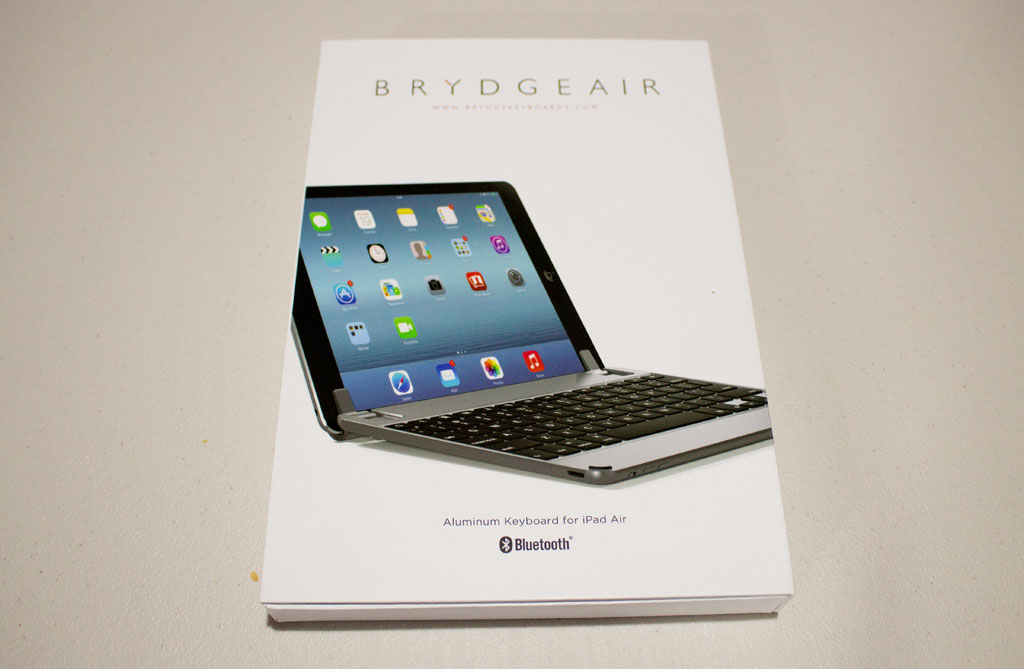
The BrydgeAir, Bluetooth Keyboard for iPad Air
I’ve had this BrydgeAir Keyboard since last year and due to whatever reasons, it’s only now that I am finally able to write a quick review about it.
Anyway, let’s proceed with the photos first.
BrydgeAir Keyboard Unboxing and Photos

Back of the box
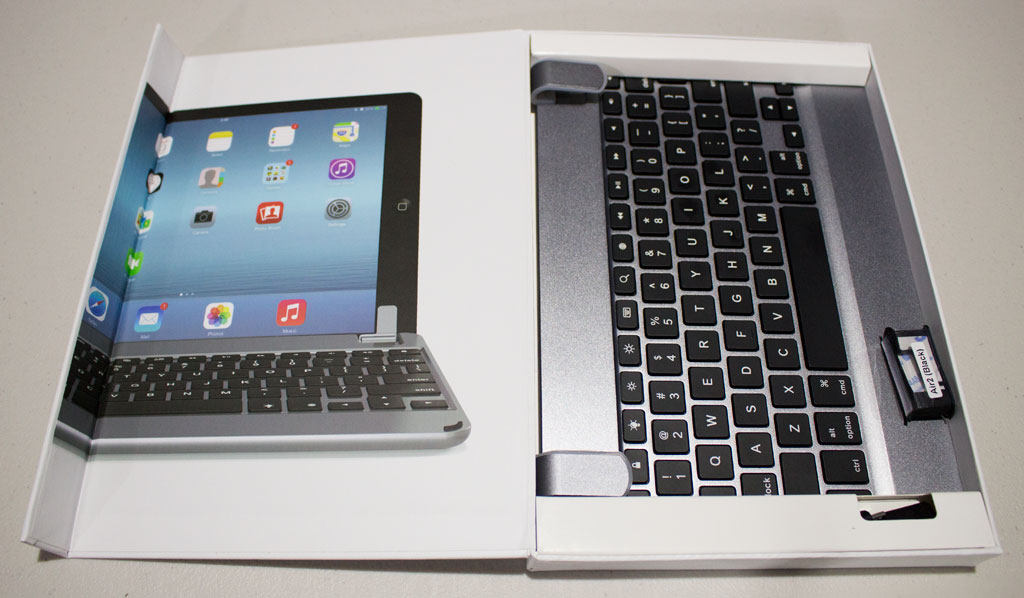
Comes in a really nice box. I love it when boxes are easy to open and close.

The usual suspects – cable, manual, and extra pad lining for when you’re using an iPad Air 2 (because it’s thinner than it’s first generation).

The keyboard is made of aluminum and is available in gold, silver and space gray to match your iPad.
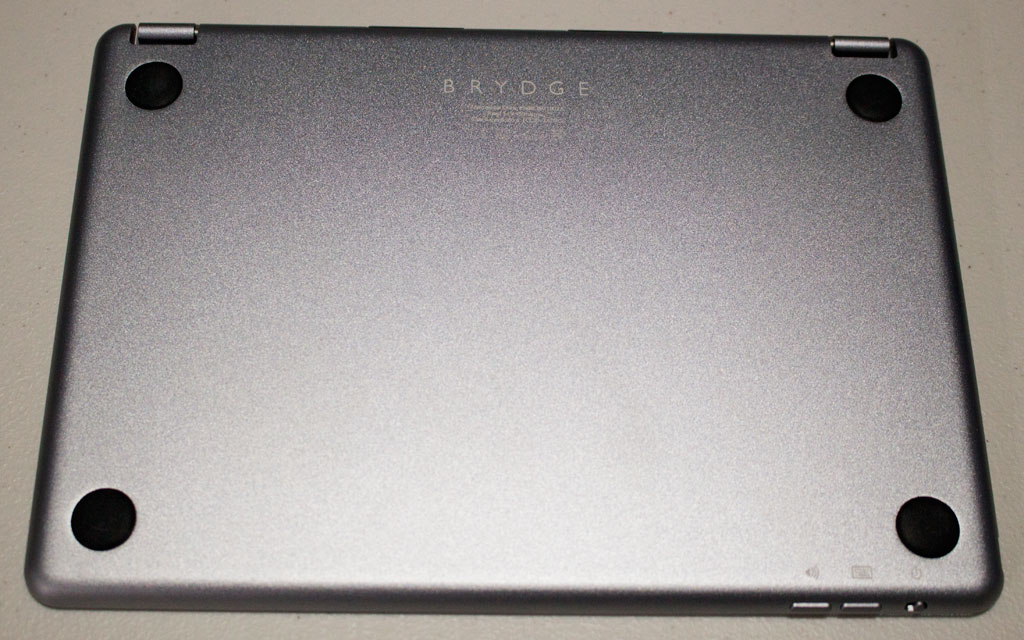
The bottom of the keyboard has rubber feet so it won’t slip or get scratched.
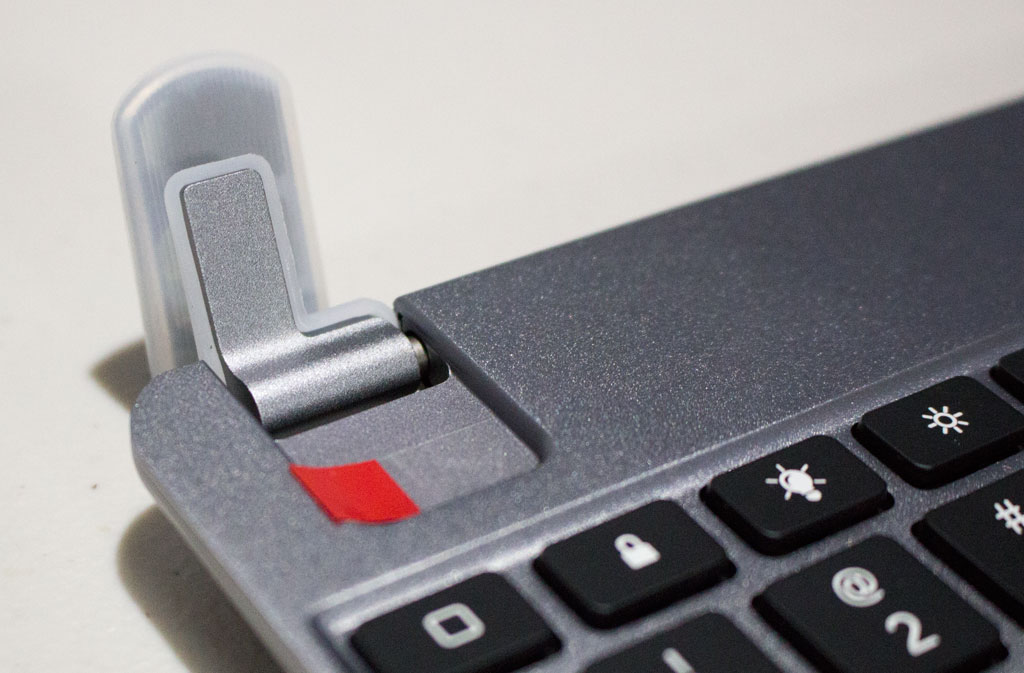
On top of the keyboard are two hinged silicone-lined tabs to hold your iPad in place.

On the bottom edges of the keyboard are rubber bumpers to keep the iPad screen from touching the aluminum. You can see here the power button and volume buttons for the speakers as well.
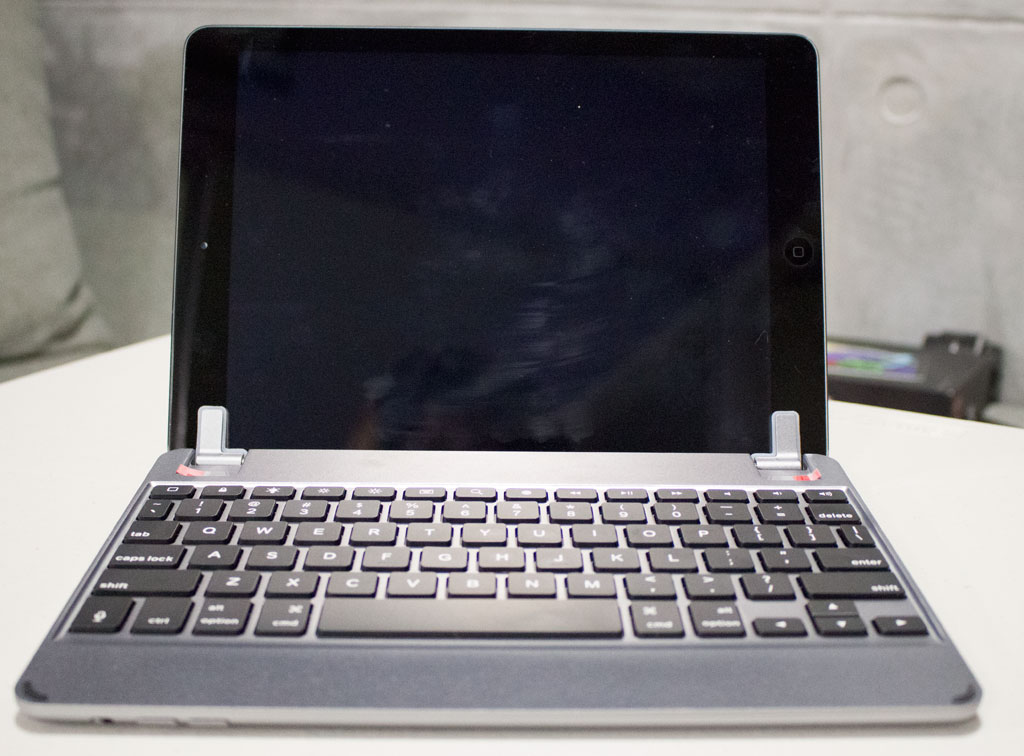
Now with the iPad! Doesn’t it just look like a MacBook at the first glance?
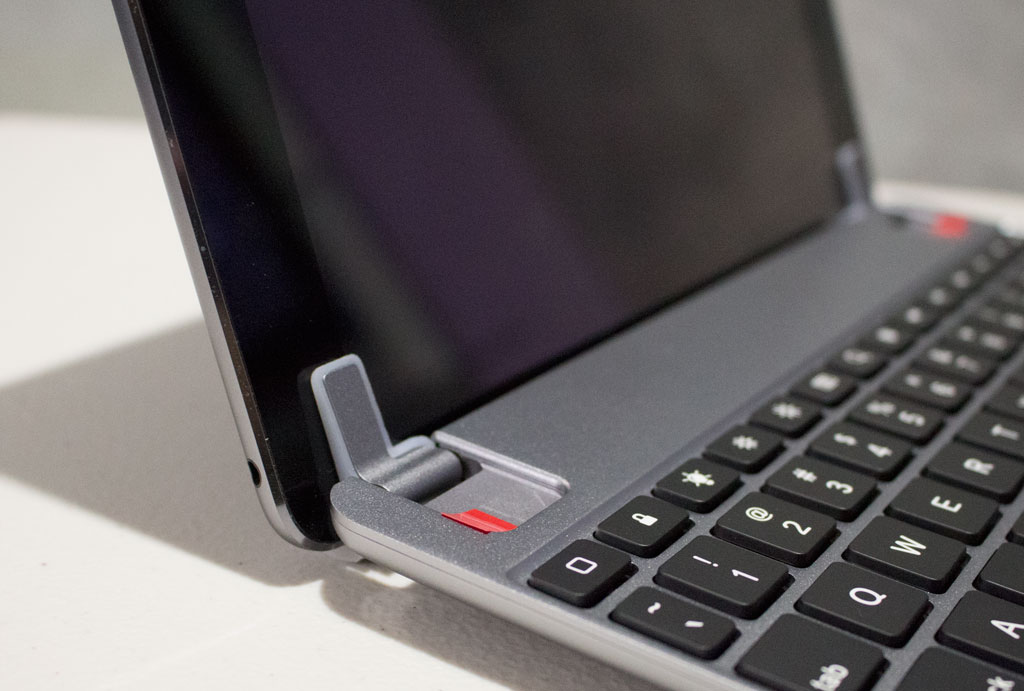
The hinges are tight enough to keep the iPad in place, but not too much to make removing and installing a problem. The weight of the keyboard is also just enough that you won’t be afraid of your iPad tipping over.

When closed.

The controls of the iPad and the BrydgeAir Keyboard line up nicely.
BrydgeAir Keyboard In Action
Here’s a quick 3-min video that will show you how relatively easy it is to pair the keyboard with your iPad, and to show you how responsive the keyboard is.
The Good
- Feels very durable, but lightweight.
- The keyboard feels pretty much like the keyboard of a MacBook.
- Has built-in speakers and backlit keys.
- 180-degree hinge for flexible viewing.
- Battery life can last as long as 3 months, depending on your speaker and backlight usage.
The Not-So Good
- It’s pricier than most bluetooth keyboards at $149
- Sound quality from the speakers can be better
- Will add a bit of weight and bulk to your iPad
- Using the keyboard does drain your iPad’s battery considerably (like, instead of charging your iPad every other day, you’ll need to charge every night)
The Bottomline
If you’re looking for an iPad Air keyboard that has a lot of functionality and easy to use while at the same time looking incredibly chic, then the BrydgeAir Keyboard is for you!
So where can I buy a Brydge Keyboard in Manila?
Unfortunately, I don’t think Brydge Keyboards are readily available here in Manila. I had to order this from the US and had it shipped here to Manila using a third-party courier service (I recommend Kango Express!)
BUT!
You’re in luck because I’m actually selling this BrydgeAir Keyboard! It’s never been used except for me testing it out for review that it’s practically brand new!
So, yeah, this BrydgeAir has been sitting around on our shelves for over a year now. If you’re interested in buying this, I’m selling this for only P6,500 at my Shopee. 🙂
(If you buy it straight from the US, it’ll cost around $149 or P7,000 for the keyboard and additional P1,000-P2,000 for shipping.)
XOXO,

—
♥ P.S. Connect with me on Facebook, Twitter or Instagram! I’m on SnapChat, too — leeyahgrl


Leave a comment